AMBAR DEKOK-MERCADO
 

AI Assisted Smart Diagnosis

Improving Candidate Identification with Smart Diagnosis in StudyTeam


What is StudyTeam for Sites?

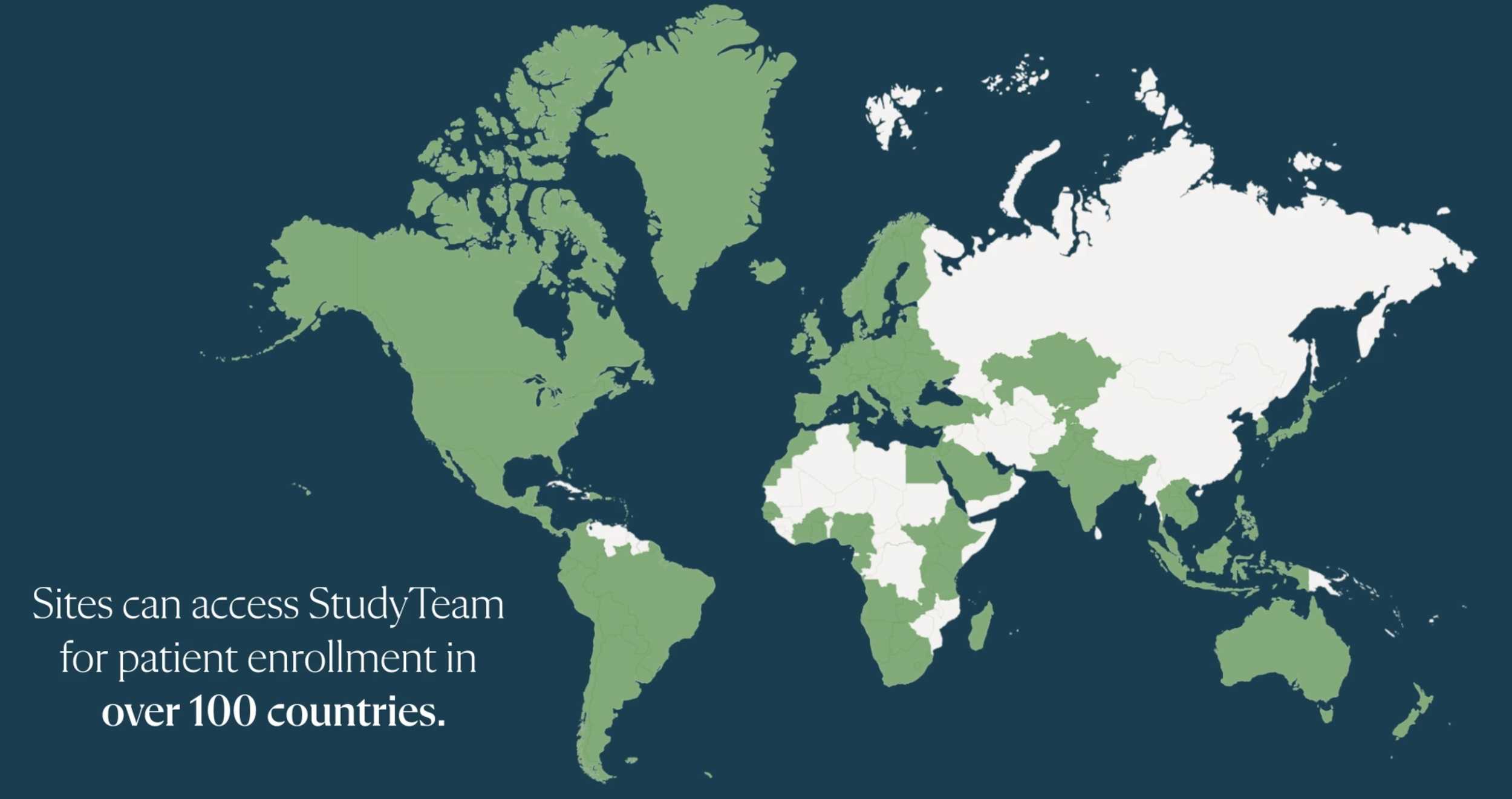
StudyTeam for Sites is a patient recruitment and patient enrollment software for clinical research organizations (sites)
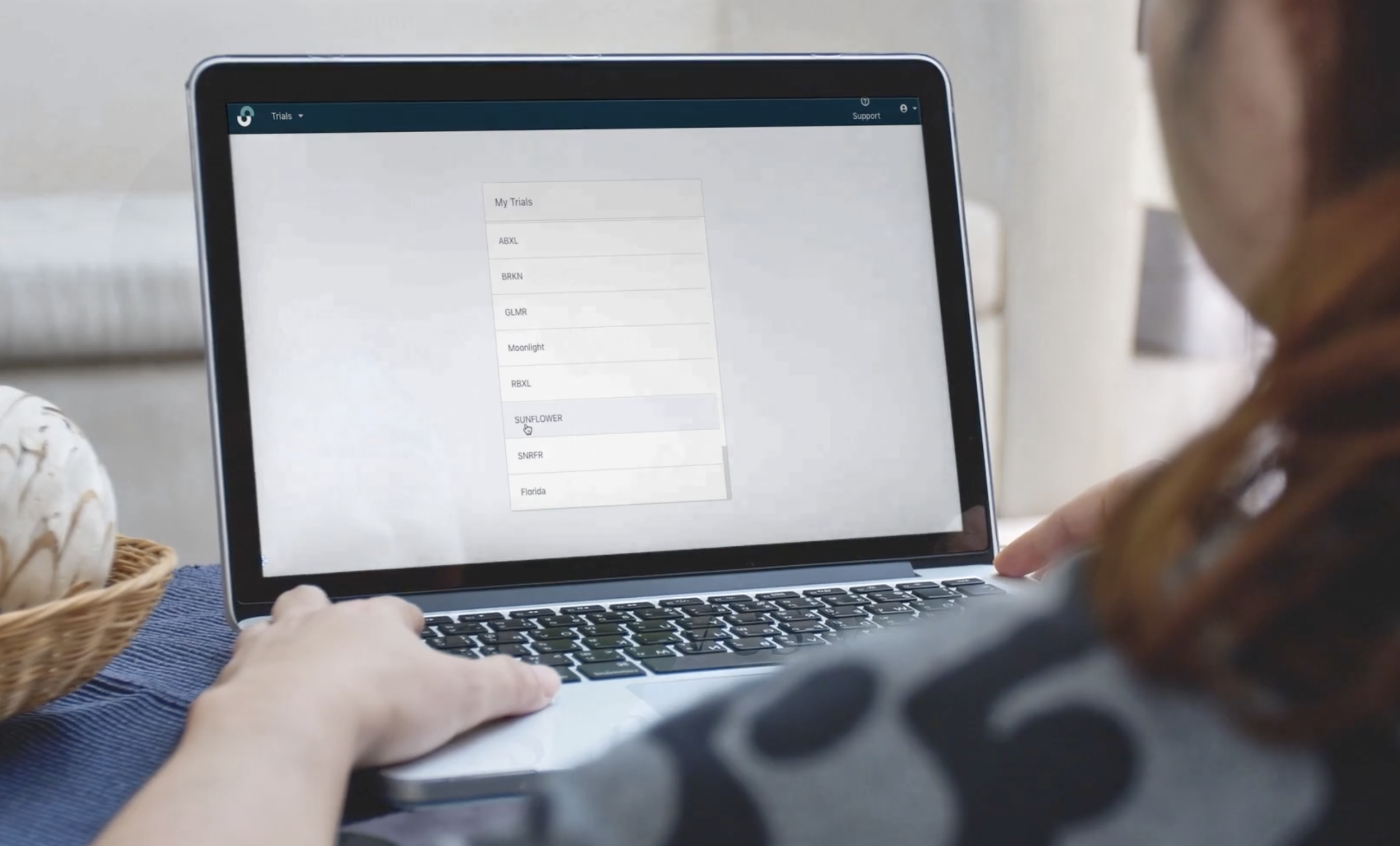
A human looking at a laptop screen viewing OneStudyTeam Software

A system designed to enroll studies as quickly as possible, StudyTeam for Sites makes sharing progress data with Sponsors and Clinical Research Organizations easier.  

Clinical Research Organizations(CROS) are contracted by sponsors (pharmaceutical, biotech, and medical device companies) to provide sponsors with research management services. Traditional CROs provide clinical trial management services, while laboratory CROs provide drug discovery, manufacturing, laboratory, and bio-analytical services.

Learn more about OneStudy Team for Sites here.


How can we identify potential candidates to prescreen for additional trials faster?

 
Green.jpg
 

Project Context and Background


The Trial Protocol - A Giant Document

Trial recruitment teams currently use a customized Inclusion and Exclusion Criteria Checklist (‘I/E’ Checklist) configured in OneStudyTeam to confirm whether or a not a patient might qualify for a trial. 

This checklist pulls from a trial Protocol.

Protocols are official documents that outlines how a clinical trial will be conducted, ensuring the safety of a trial and the integrity of the data collected (and can be hundreds of pages long).


Inclusion and Exclusion Criteria Checklists in StudyTeam


The Current System is OK - Not Great

Today, Protocols are manually uploaded by OneStudyTeam Employees into StudyTeam.

Protocol Inclusion/Exclusion Criteria Checklists are then built by OneStudyTeam Clinical Trial Leads to create Inclusion and Exclusion Criteria Checklists for Screeners (other humans) to use while screening patients for potential trials.


Example of the Criteria Checklist UI in StudyTeam


How a Diagnosis Can Qualify or Disqualify a Potential Patient During Screening

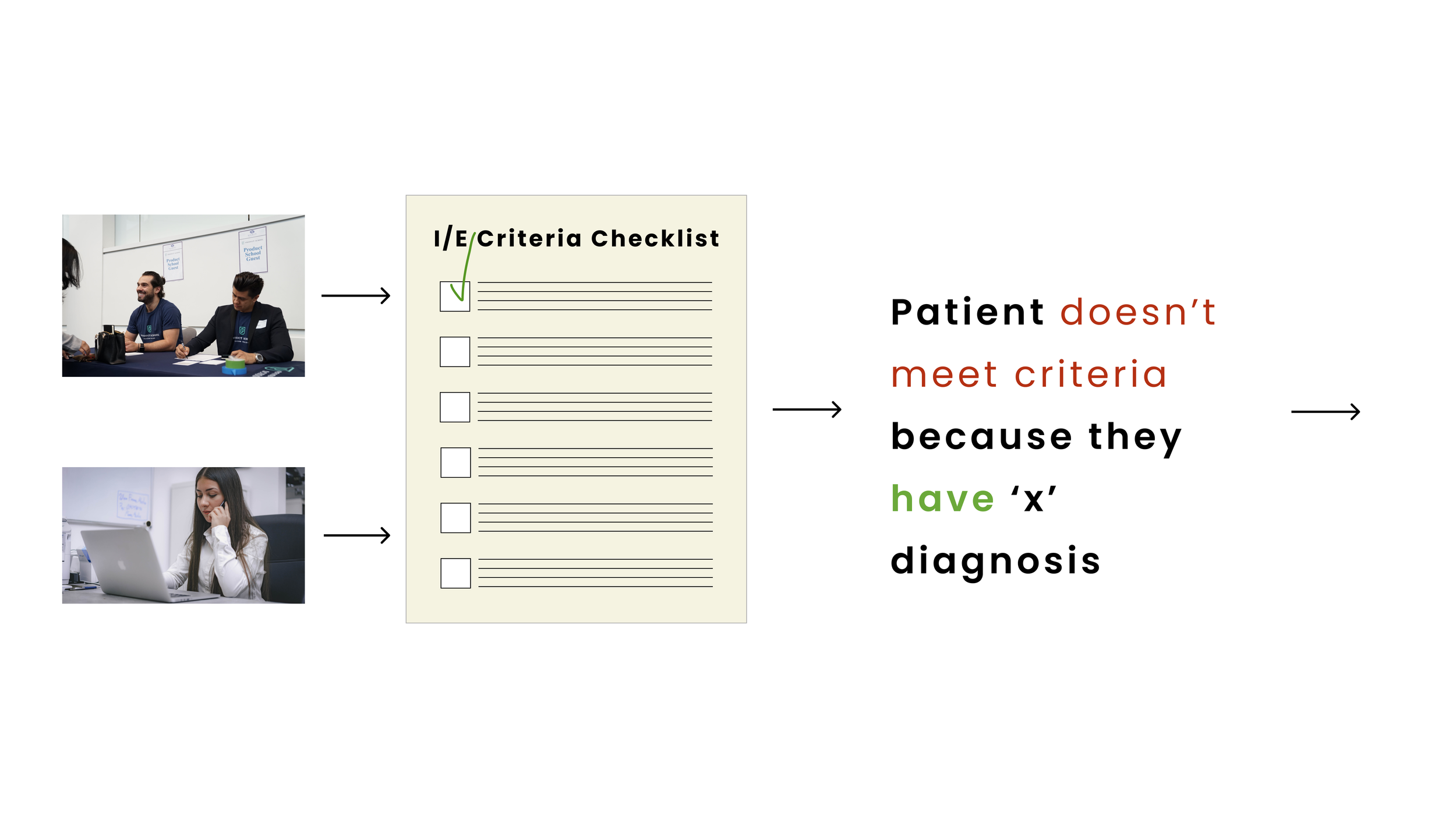
Trial Recruitment teams are completing recruitment for trials either (in person, or remote) and utilizing the checklist in OneStudyTeam to expedite the process.

Example 1


Patient is screened and they meet the Protocol (has ‘x’ diagnosis) criteria, therefor qualifies for the trial.


Example 2


Patient is screened and DOES NOT meet the Protocol (because they have ‘x’ diagnosis’) therefor DOES NOT qualify for the trial.


Currently, the Data We Capture is NOT Optimized


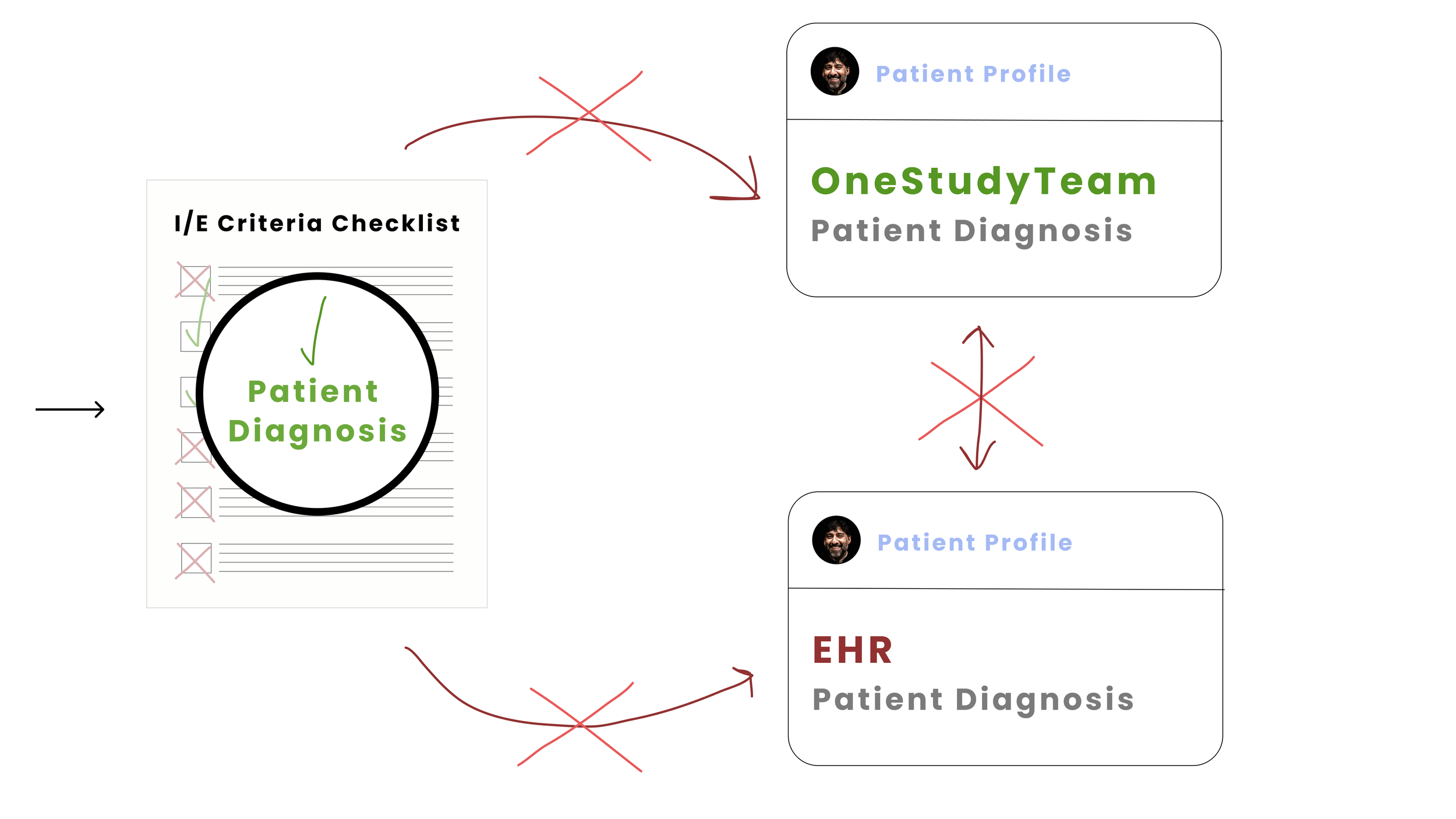
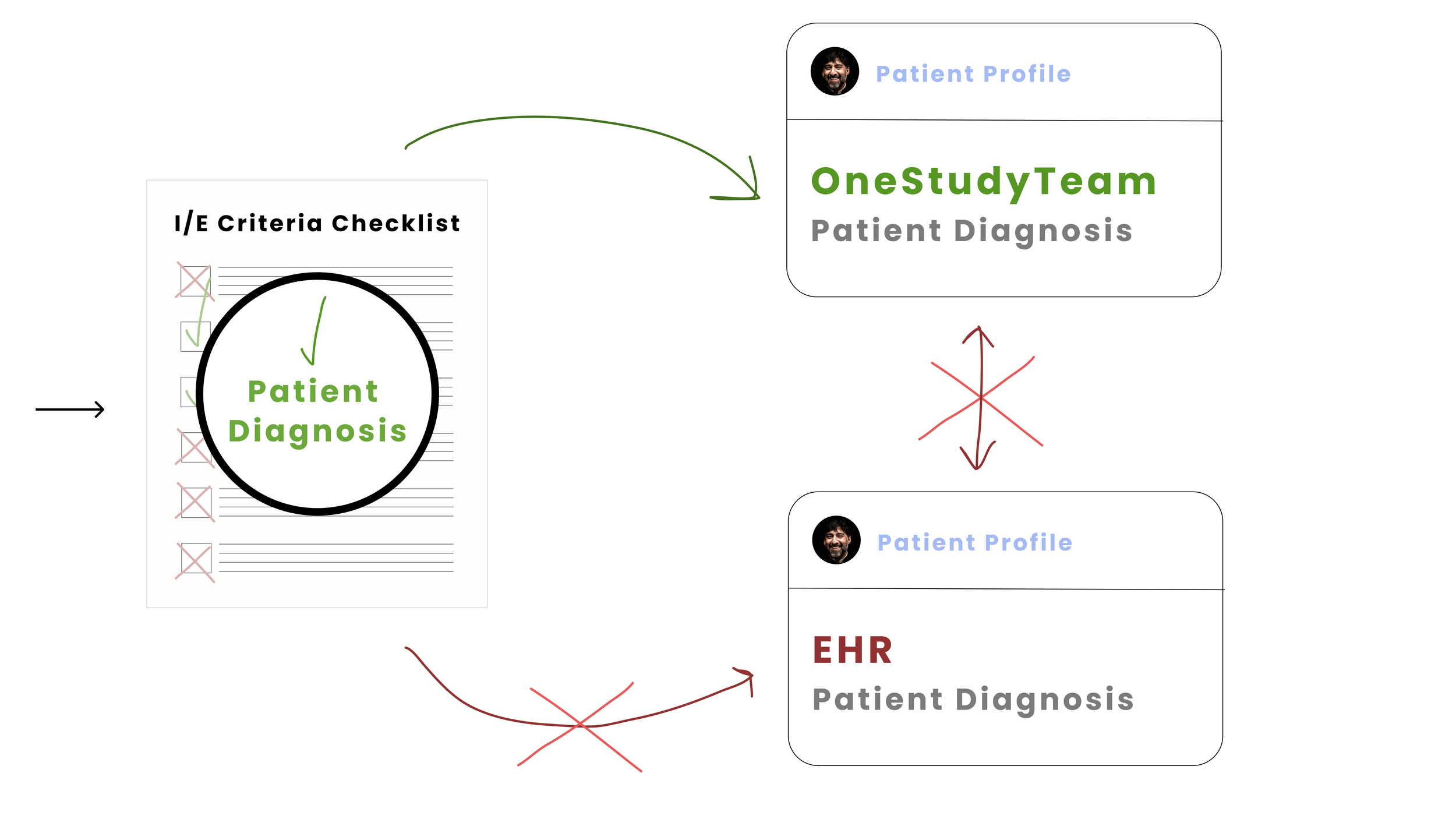
Currently, there is no way to ‘store’ diagnosis information for a patient in OneStudyTeam.

This information is captured in the Inclusion/Exclusion Criteria Checklist, but not stored in the Patient Profile e.g. ‘fed’ back to OneStudyTeam or a connected EHR (Electronic Health Record) for the patient.

This means, once a patient has been either qualified or disqualified (in this case, based on a diagnosis), this data won’t be utilized/inferred upon to make further recommendations for trial matching.


If we improve the data capture process of diagnostic data when capturing Inclusion/Exclusion Criteria Checklist information then we can help recruitment teams identify candidates to prescreen for additional trials faster (Hypothesis).


Optimized Workflow - Phase 1

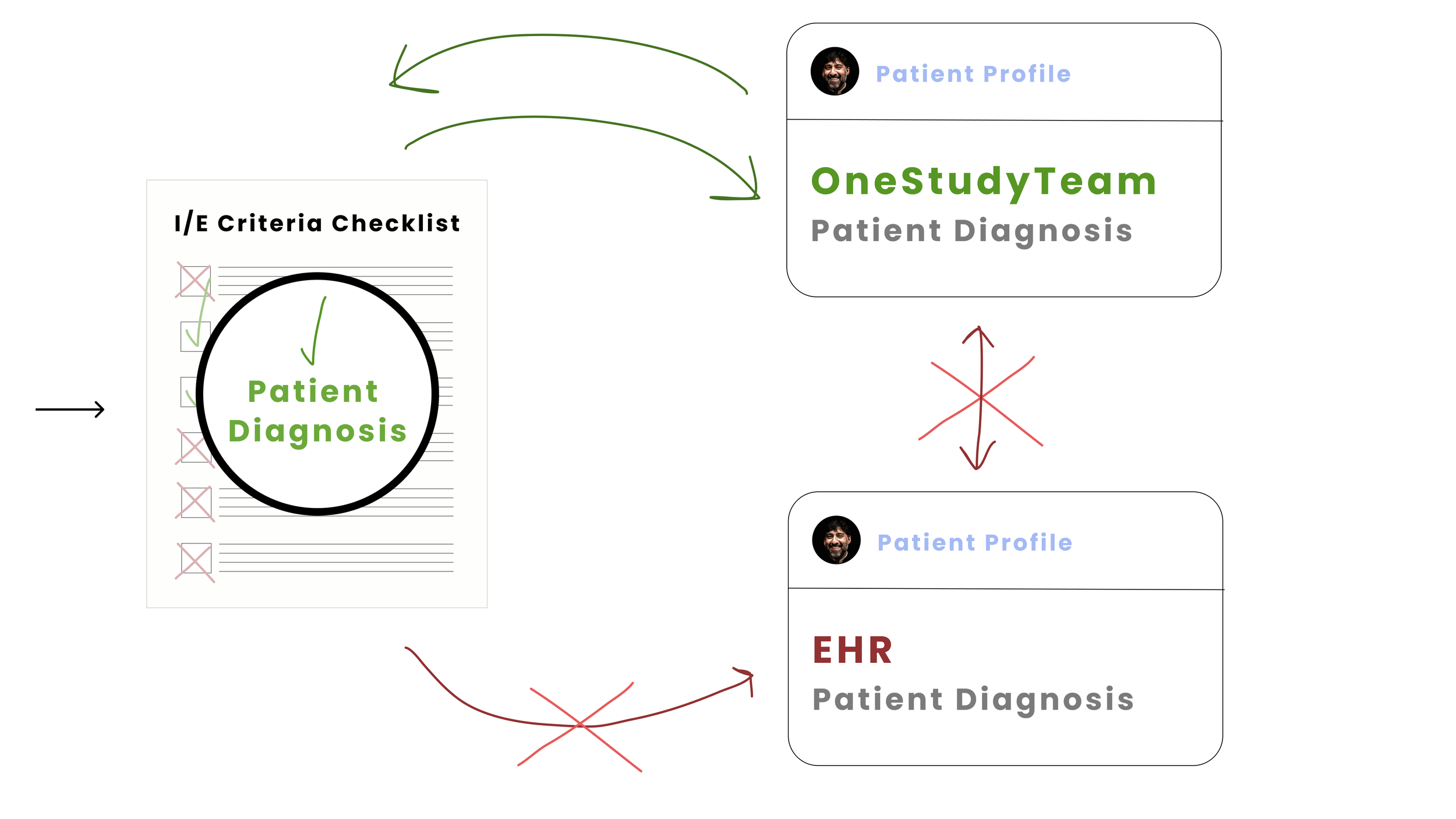
Ideally, the diagnosis information captured in the I/E Criteria Checklist would be captured and stored in the Patient Profile to then be used to consider patients for other trials automatically.


Optimized Workflow - Phase 2

Any information captured in the Patient Profile would be fed back to the Checklist and auto-complete potential criteria that could auto-qualify a patient for a potential trial.


Optimized Workflow - Phase 3

Once StudyTeam integrates with other EHR systems, any patient data would also infer potential trial matches based on diagnosis data that matches Checklist criteria.


Additionally, we can reduce burn out and cognitive load for recruitment teams by improving workflows (Theory).


My Role

 
  • As design lead, work closely with product managers and developers (product trio) regarding project scope and requirements.

  • Customer research, analysis, and insights reporting.

  • Iterative design cycles involving various cycles of usability testing.

  • Market analysis and product research regarding best practices in workflow management tools (notifications, user preferences, email reminders, and more).

  • Consistent and close knit collaboration with team members utilizing Agile workflow methodologies (consistent and iterative feedback loops). Involved technical leads, developers, stakeholders and product owners in design reviews, feedback cycles, and research synthesis discussions.

  • Detailed hand-off of final development specs, and hands-on involvement in testing and QA.


My Collaborators

Michal Vugman - Group Product Manager

Olivia - Associate Product Manager

Geoff - Technical Lead 

Engineering - Greg, Adam, Luka

Dave - Data Engineer

Dara - Clinical Informatics Specialist

Brook - Engineer (Protocol Support)


Timeline

This project was under research in development for one quarter.


Green.jpg
Photo of  a laptop featuring a zoom call with various people and an empty mug. by Tirza van Dijk on Unsplash.

Who Are We Building For?


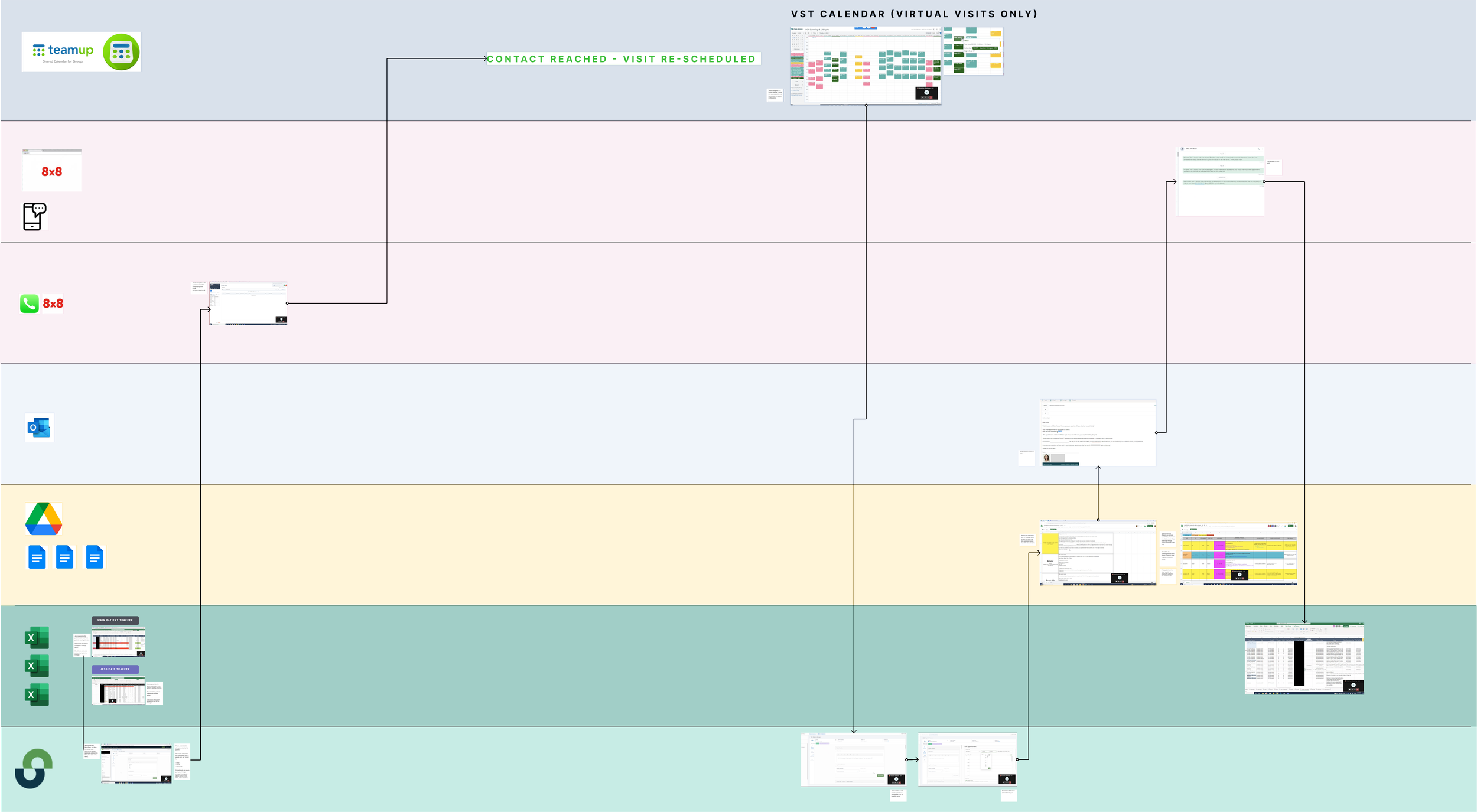
Site Users Are Juggling Multiple Forms of Software to Complete Basic Tasks


As part of our research and discovery, we had several regenerative discovery sessions with stakeholders and customers. These calls were focused on understanding what individuals are doing to get the job done today.

See an example task flow below*, where a Site User is juggling various forms of software to complete a single task (each color lane represents a different software application).

We hoped we might be able to reduce the complexity and stress of some of these work flows by optimizing what needs to be done in StudyTeam itself more efficiently.


*Due to PII (Personally Identifiable Information) - the details of this flow have been blurred out.


Current configuration means too much manual work for the customer team, while creating unwanted noise for sites (Key Insights)


Customer Team (OneStudyTeam)

The customer team currently has to manually subscribe and unsubscribe customers to various emails. This is a time-consuming process.

“I wish our customers could opt in and out of emails themselves, without me needing to go into the system for them.”

Customers (Sites)

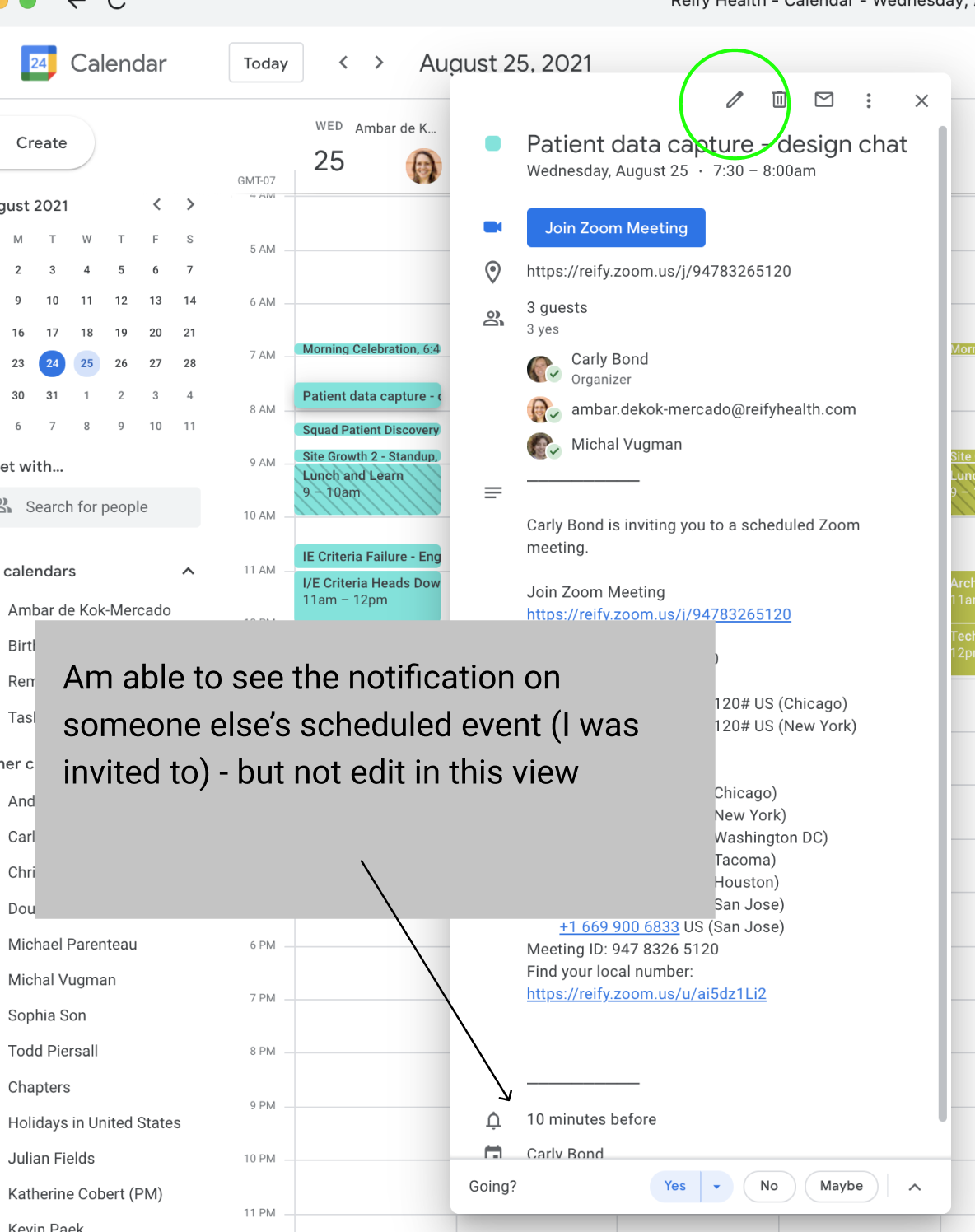
Customers don’t use the tasks feature in the site application because there is no way for them to set a reminder, due date, or notification.

“If I receive too many emails, I get overwhelmed. It’s a lot of noise and I end up just missing a lot of them or not even opening them.”


Photo by Tirza van Dijk on Unsplash of a figma design file on a laptop.

Initial Design Proposal


Based on our discovery sessions, we proposed and scoped out the following solutions across various initiatives.


Allow Users to Manage Their Own Settings by Creating a User Settings Profile


Task Management

Based on the feedback that site application users don’t use the task management feature due to the inability to create reminders and set custom notifications, we started exploring injecting these enhancements into the current feature.

Notifications and Reminders

Customers are only able to unsubscribe from emails via the email themselves, and cannot set global notifications settings in a preference service. To remedy this, we started exploring ways for users to be able to set their own settings and preferences for their trial communications.


Users Should Always Feel in Control & Able to Manage ‘Noise’ Hierarchy


Throughout our several design iterations, validation, and testing – we also kept the following insights as our product ‘guide posts’:

Users should always feel in control of their notifications
— Insight #1
When everything is important, nothing is important
— Insight #2

Leveraging Recognized & Validated Design Patterns


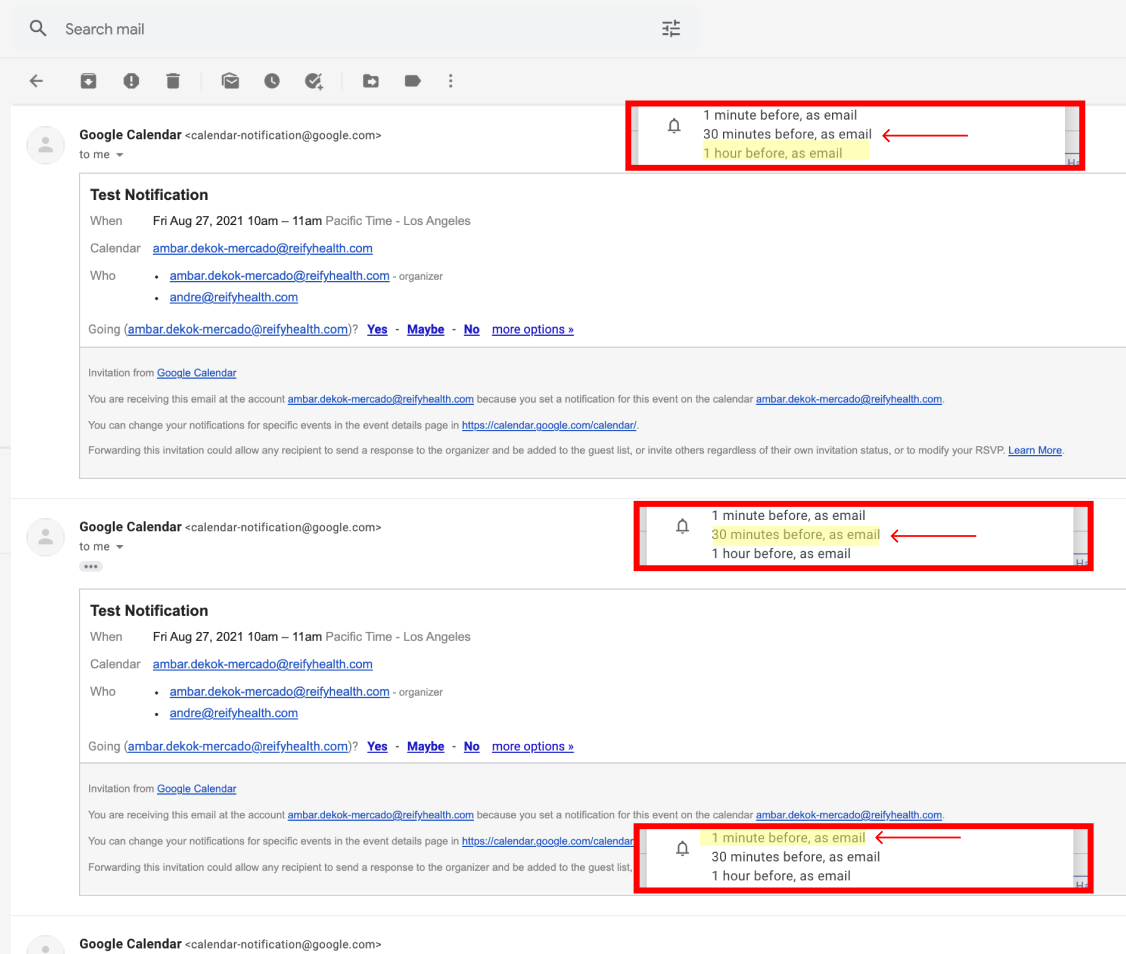
Rather than reinvent the wheel, we applied existing and validated interaction notification patterns.


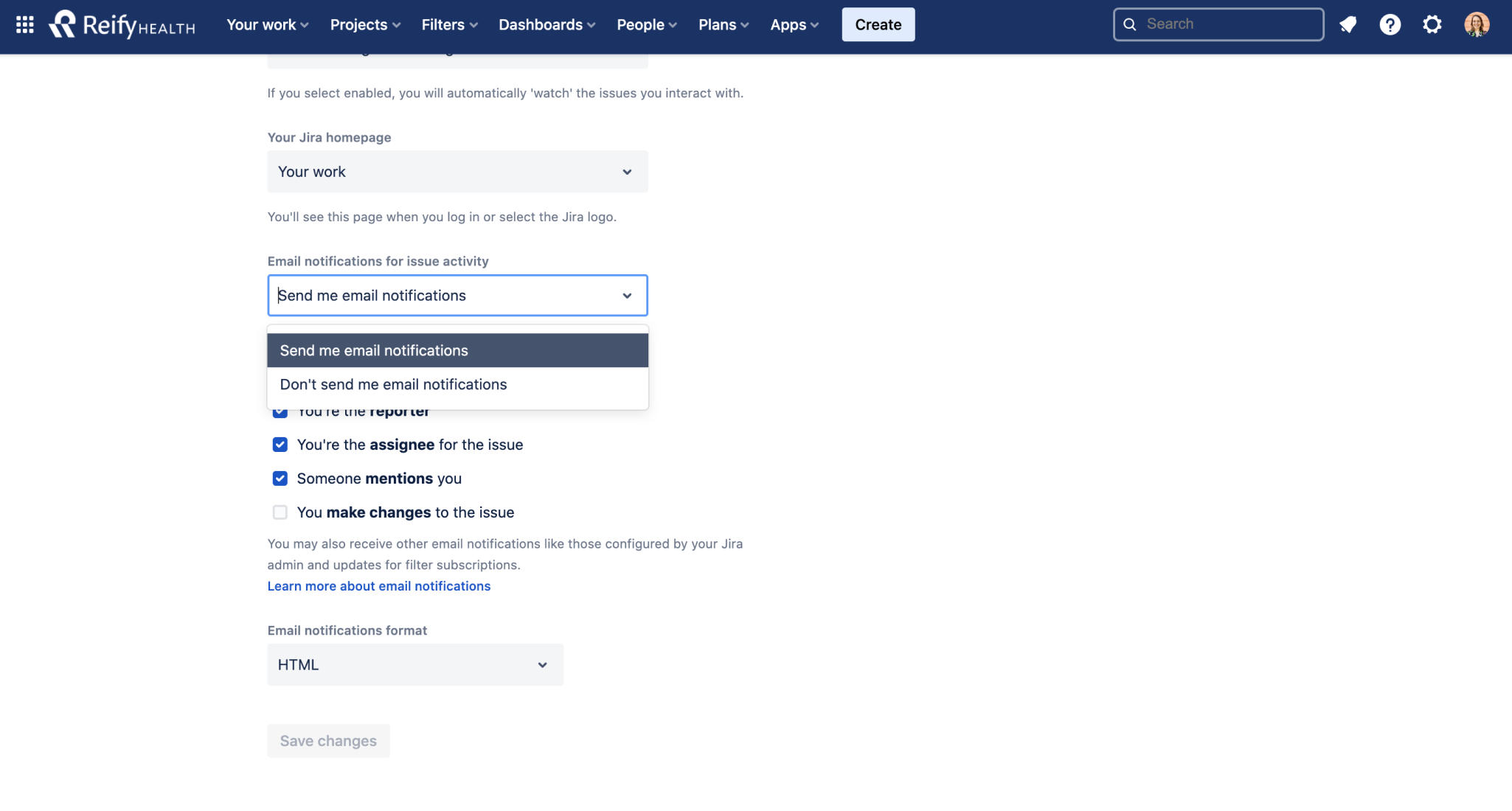
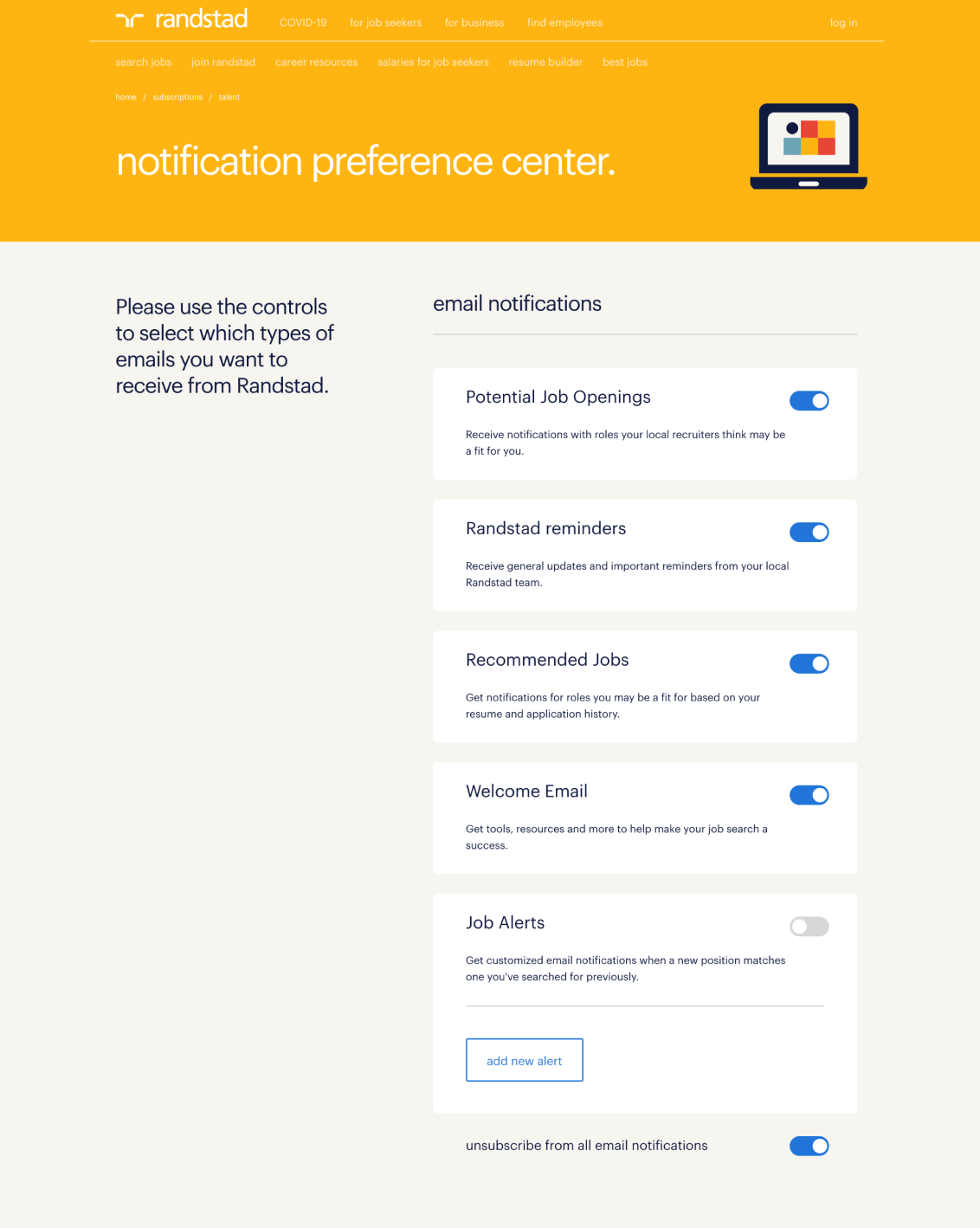
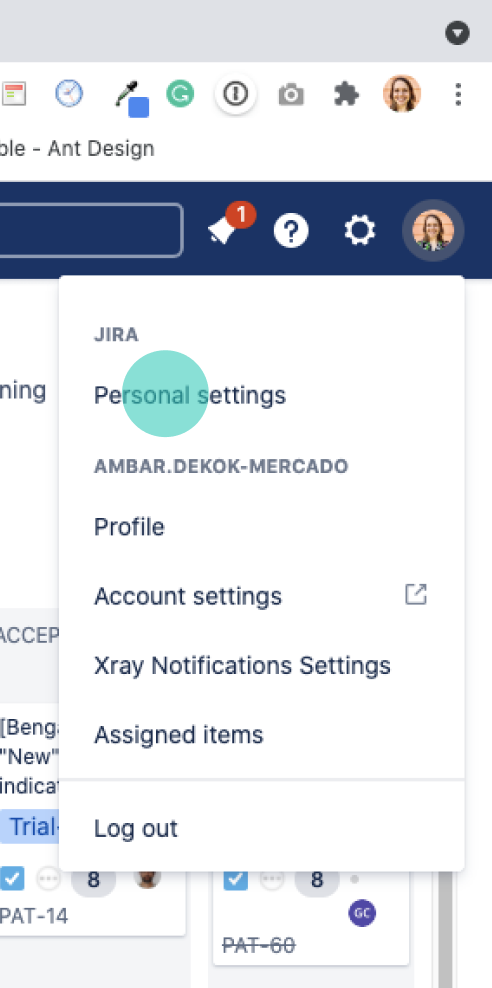
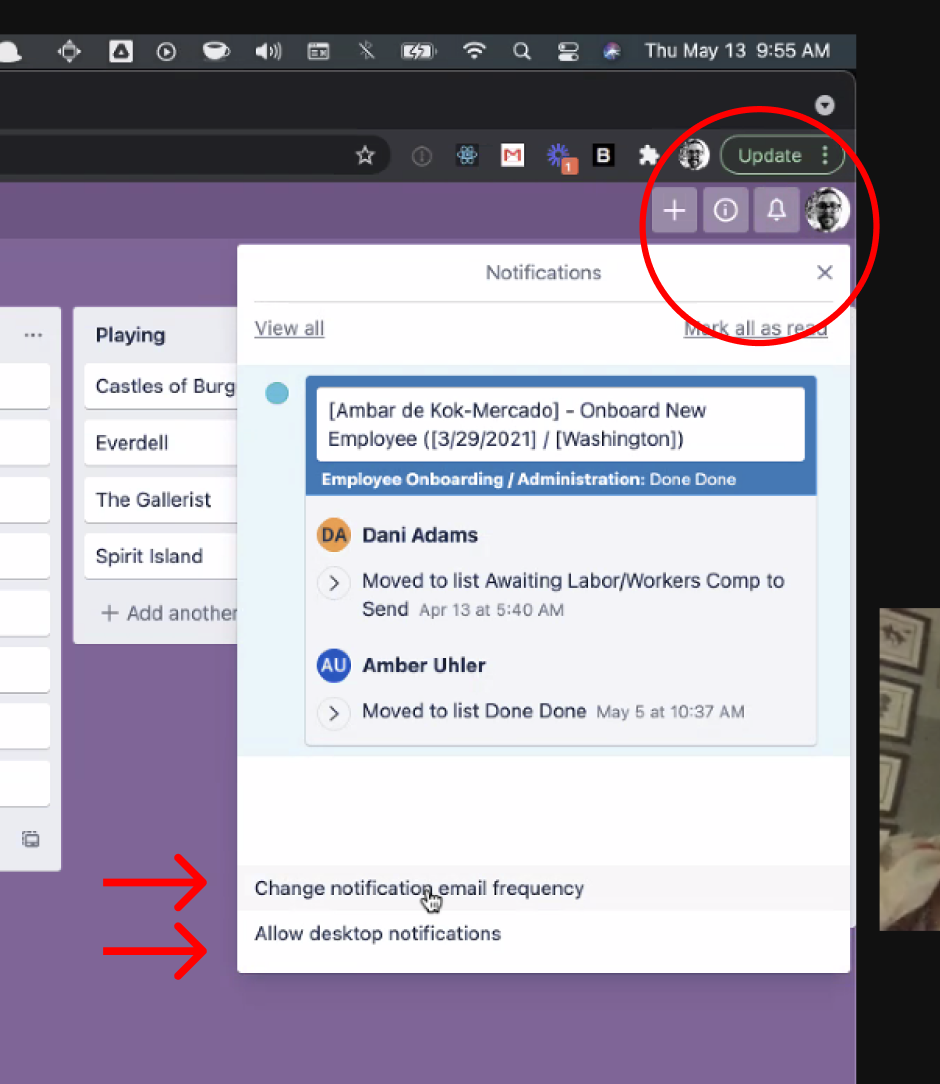
Some of the products referenced in my interaction market research


Final Designs


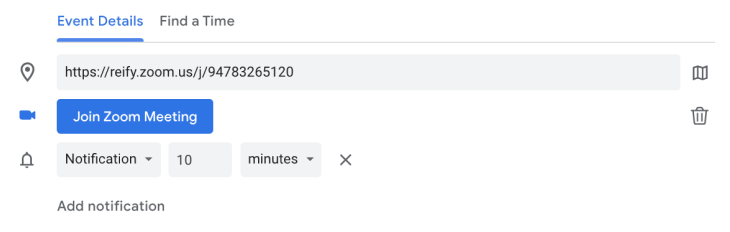
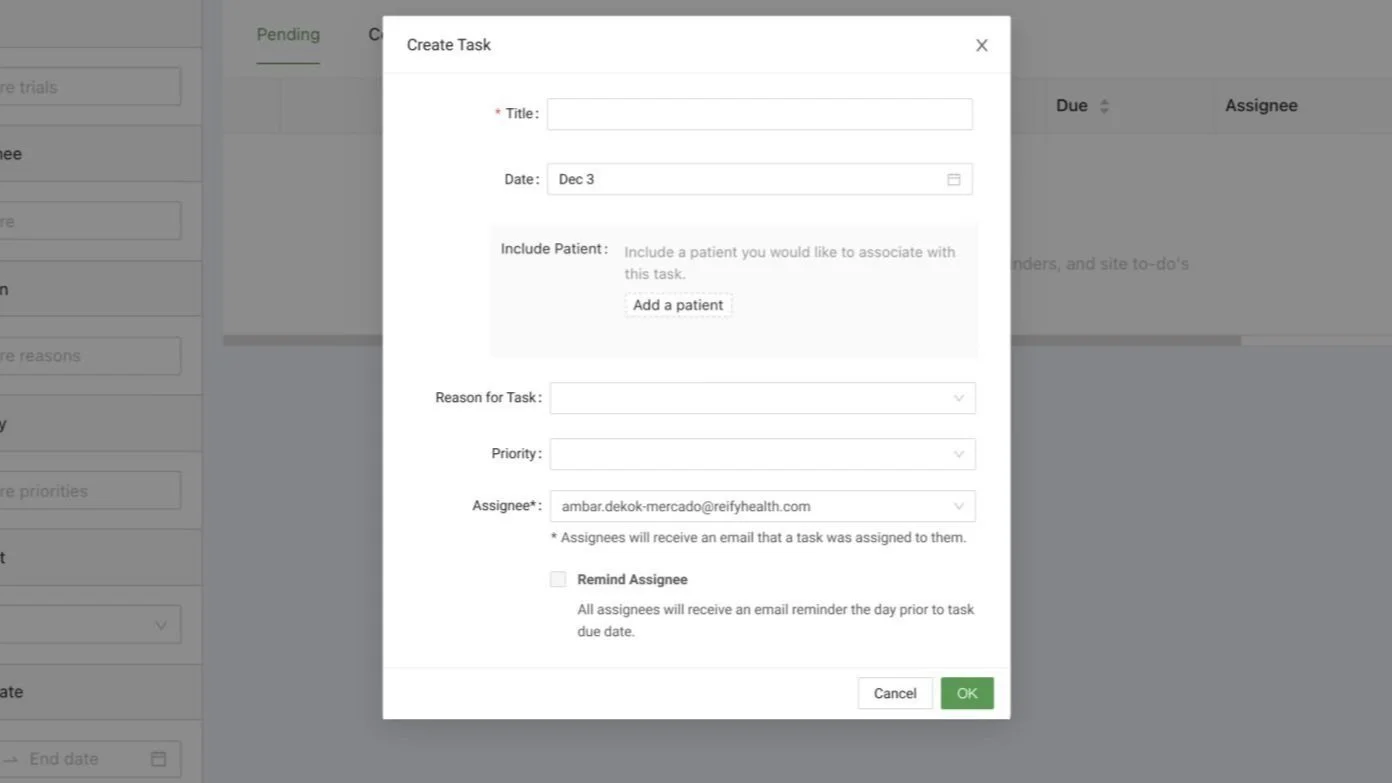
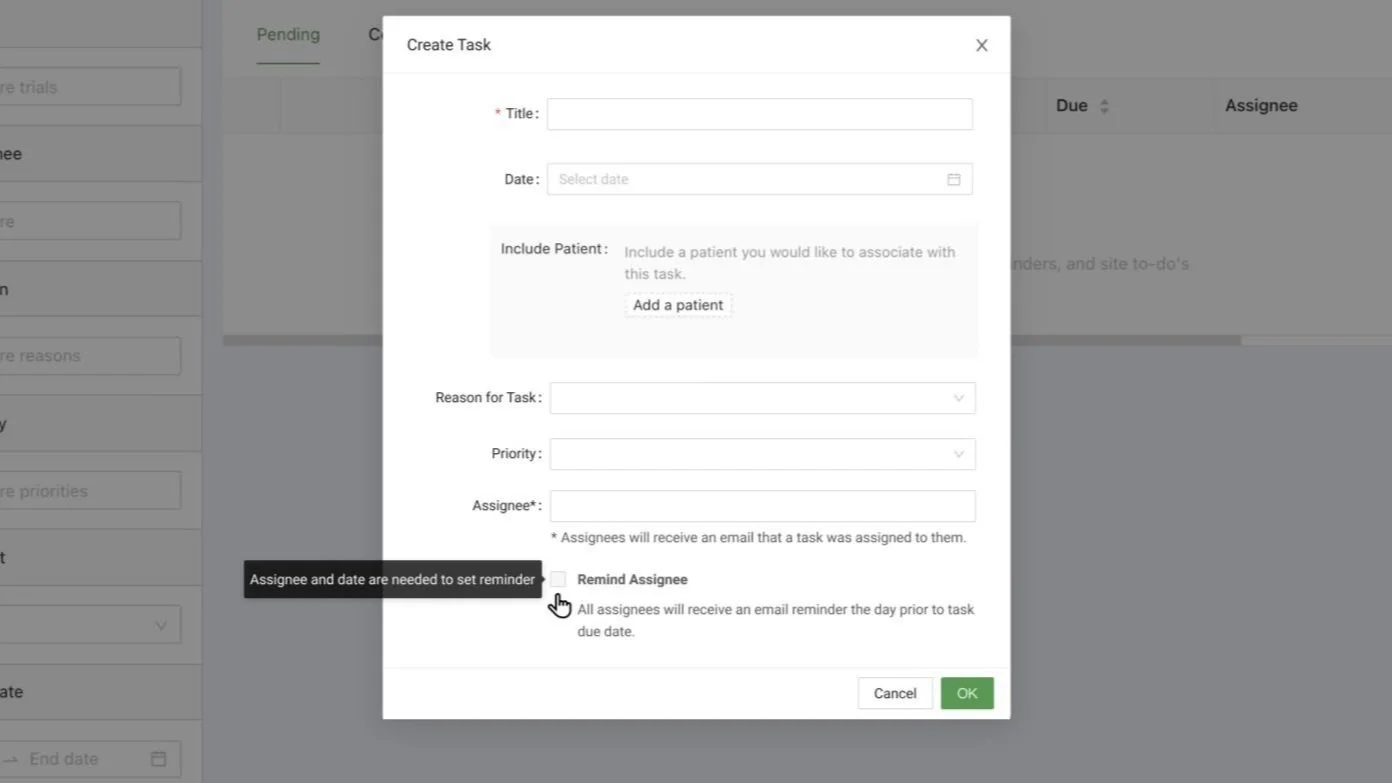
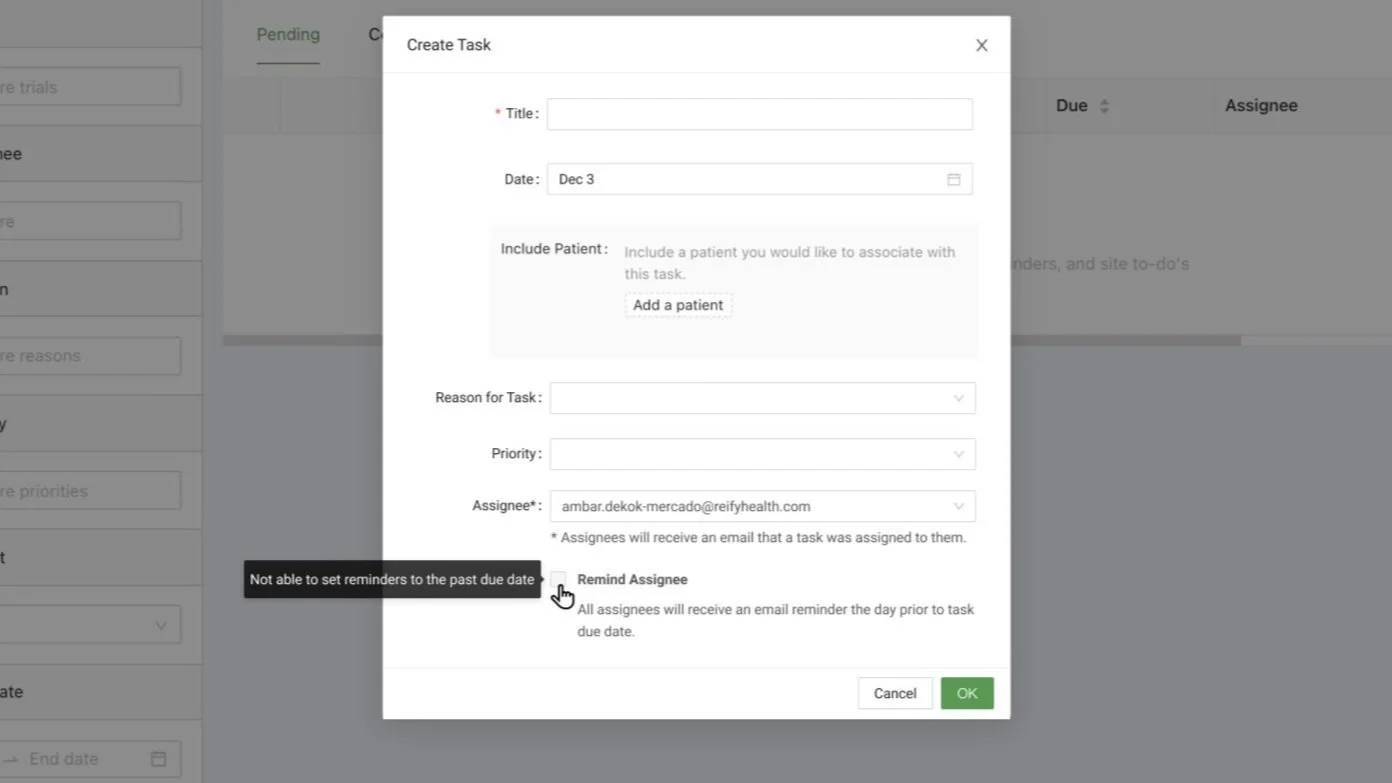
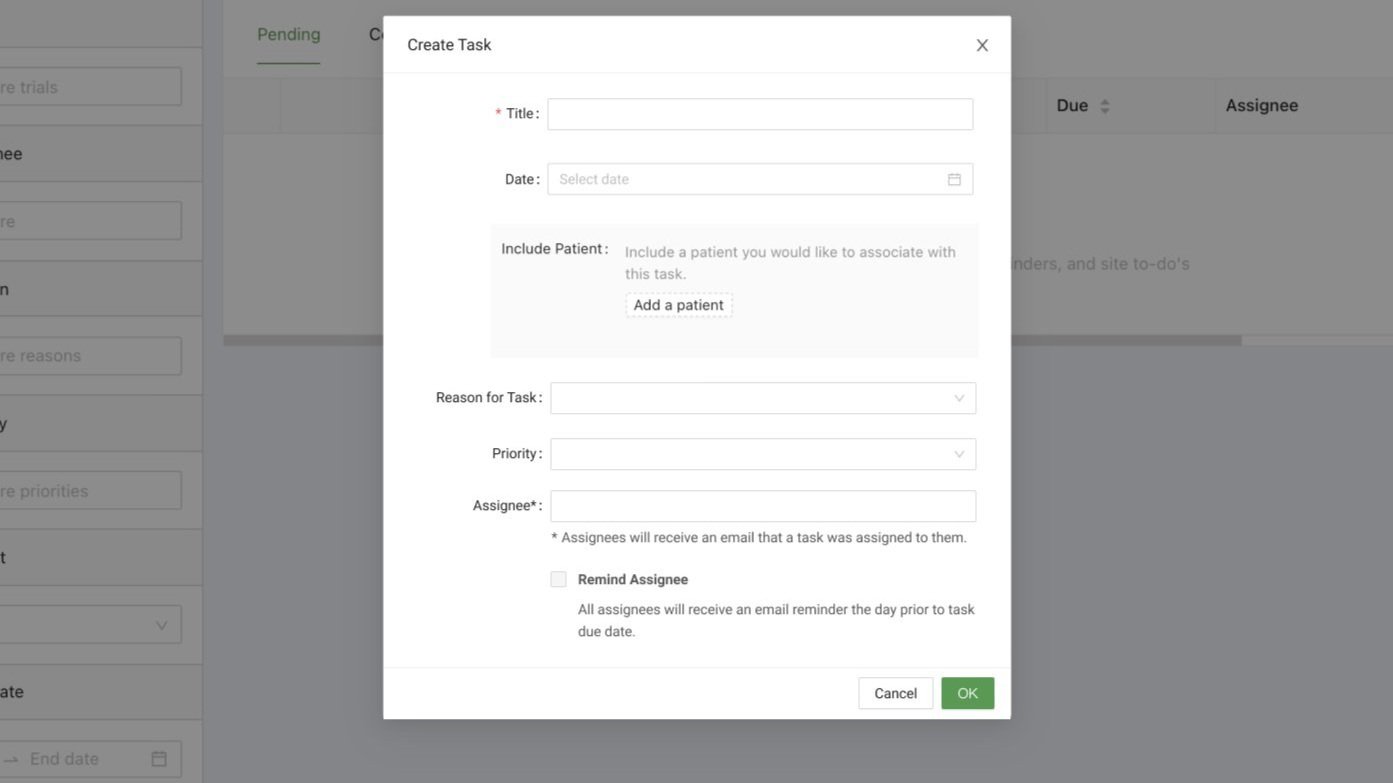
Adding in the Ability to Remind Assignees


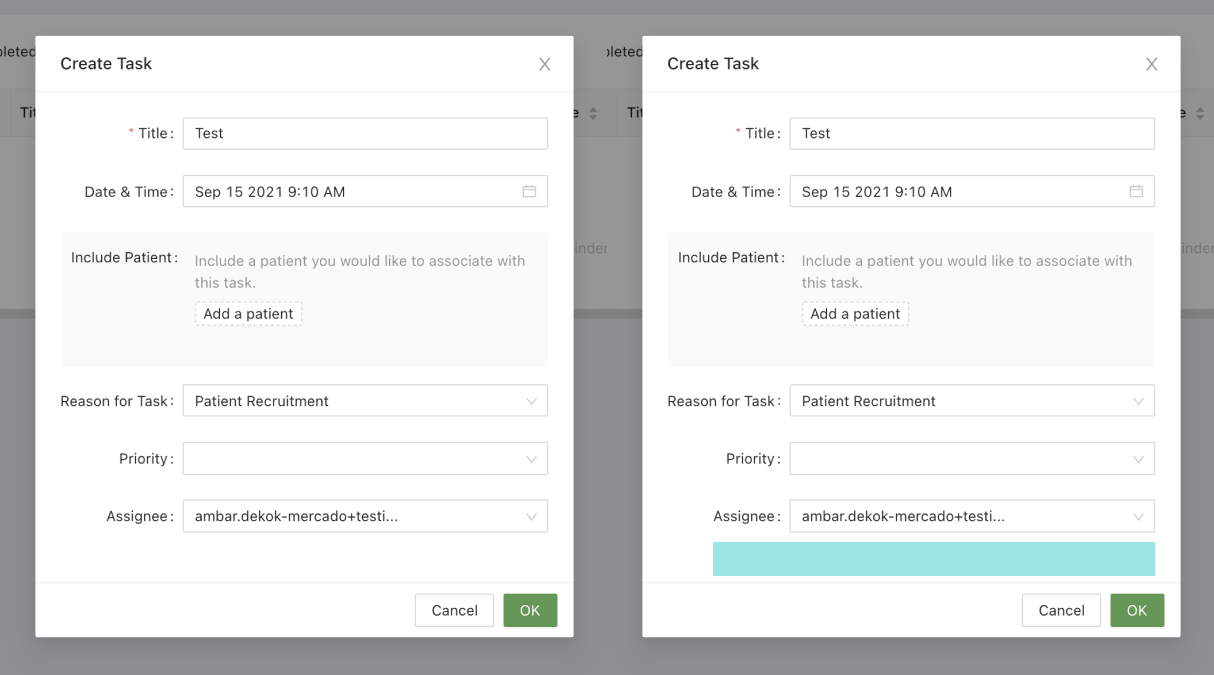
[LEFT IMAGE] Previous product UI.

[RIGHT IMAGE]
The highlighted area at the bottom (in teal) marks where the UI was enhanced (see below).


After various feedback cycles and iterative user testing, we worked with our copywriters on finessing concise copy for the following first-release designs.


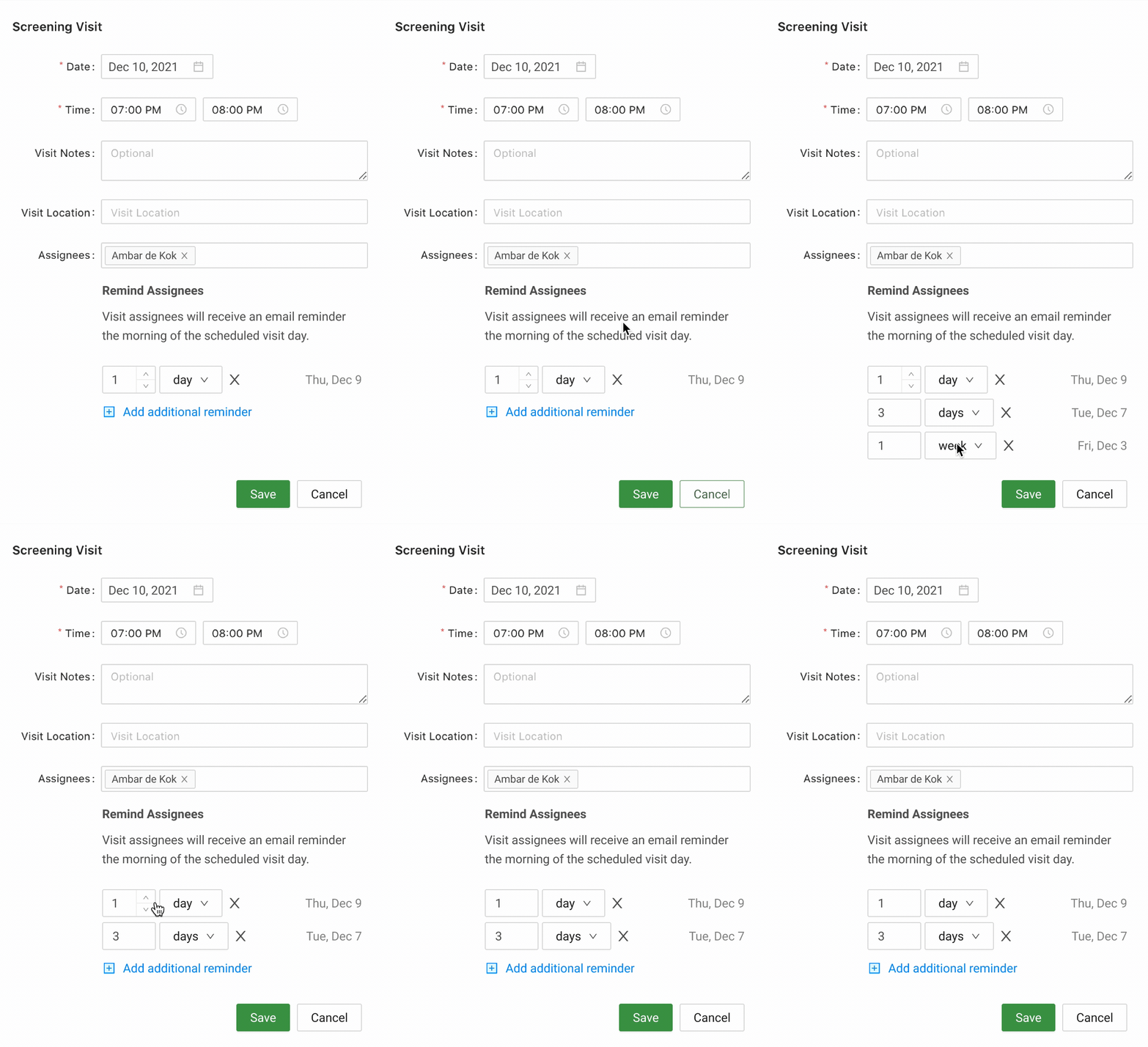
Adding in Visit Reminders


After the task reminders feature was released and well received by users, we applied the same pattern to a different feature, the visit scheduler, with some additional enhancements.

These enhancements had been previously usability tested but did not make it into the initial task management scope for the first release.


Creating a User Preferences Profile to Empower Users to Self-Manage Notifications


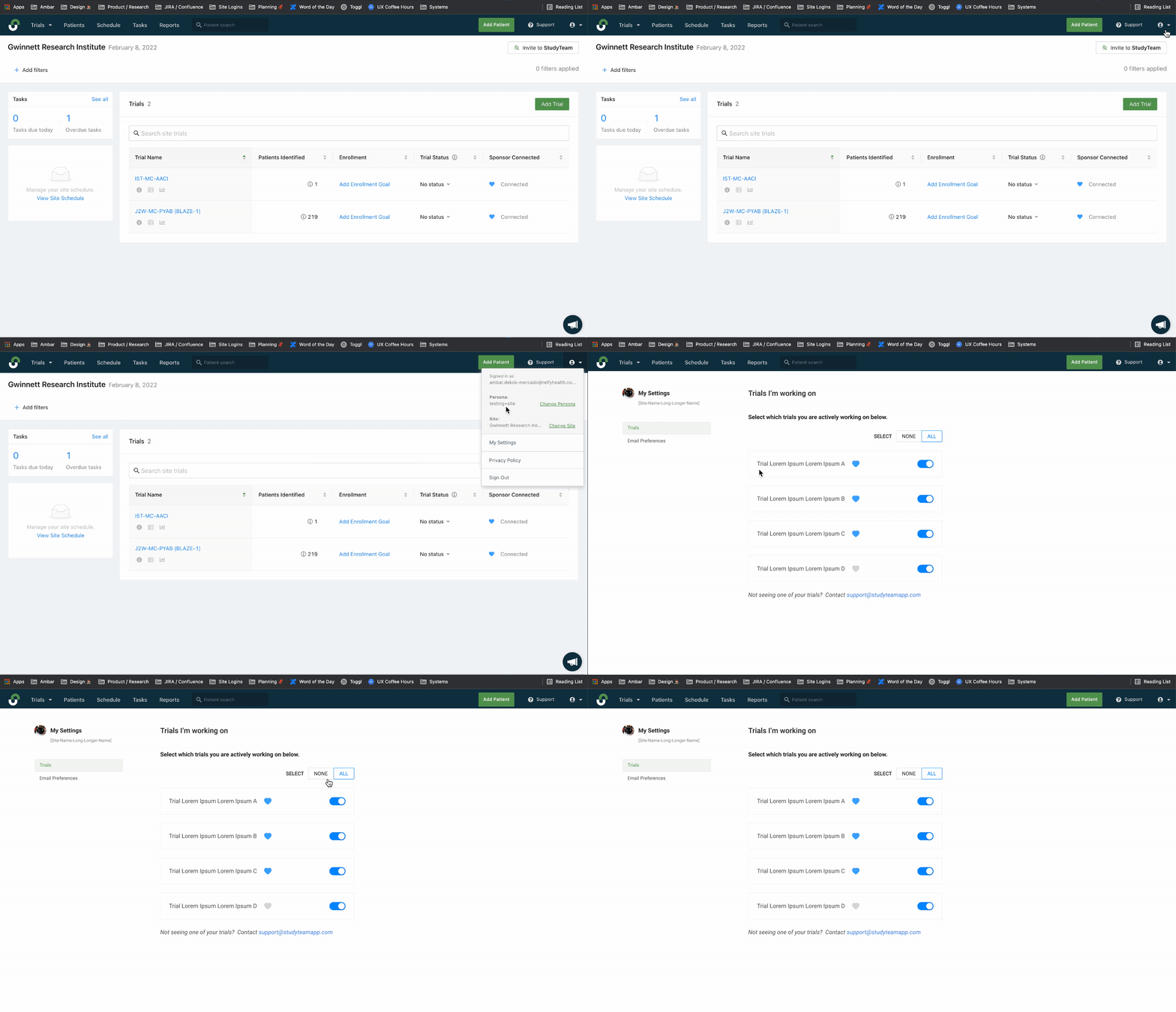
Finding a Logical Entry Point for the New Profile Location

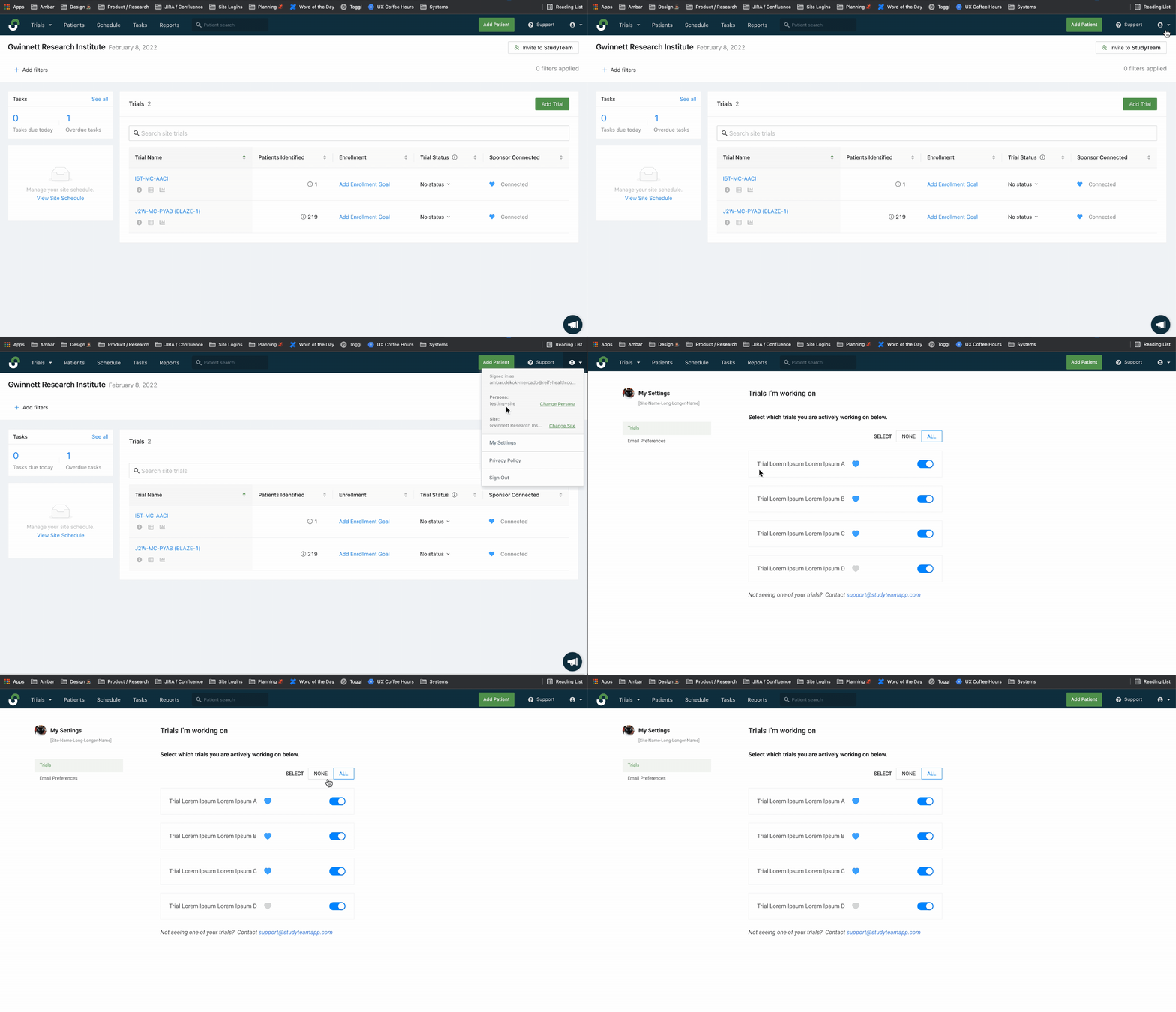
After analyzing various entry points and locations in the app, we decided on a global location for the user settings and preferences. This entry point allows users to access their settings and preferences, no matter what site or trial they are logged into.

This location defines a solid UX foundation and anticipates the scaling of a fully flushed-out preference service that will include other things like calendar settings and integrations.


Hierarchy of Selecting Notification Settings in the User Preference Profile

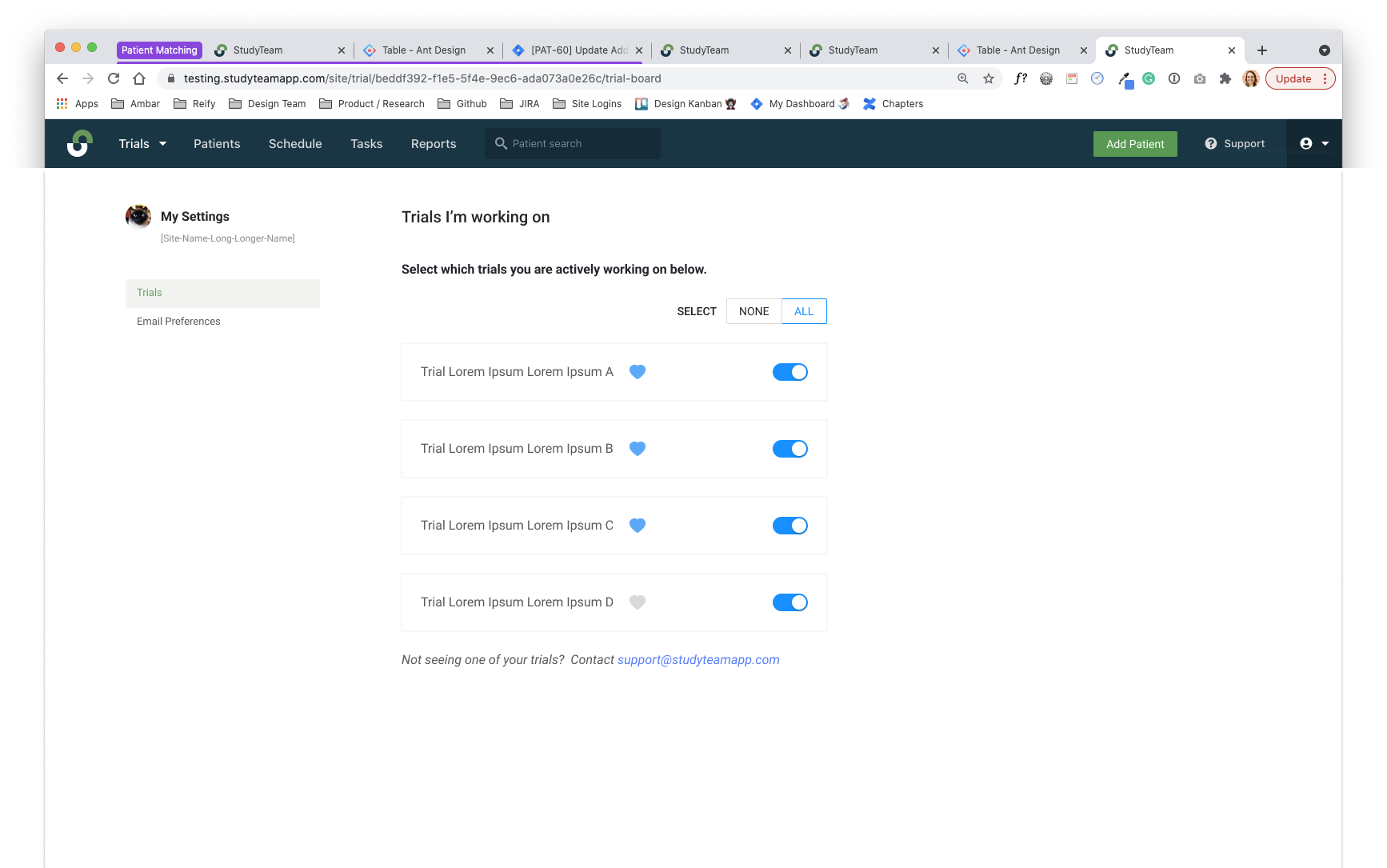
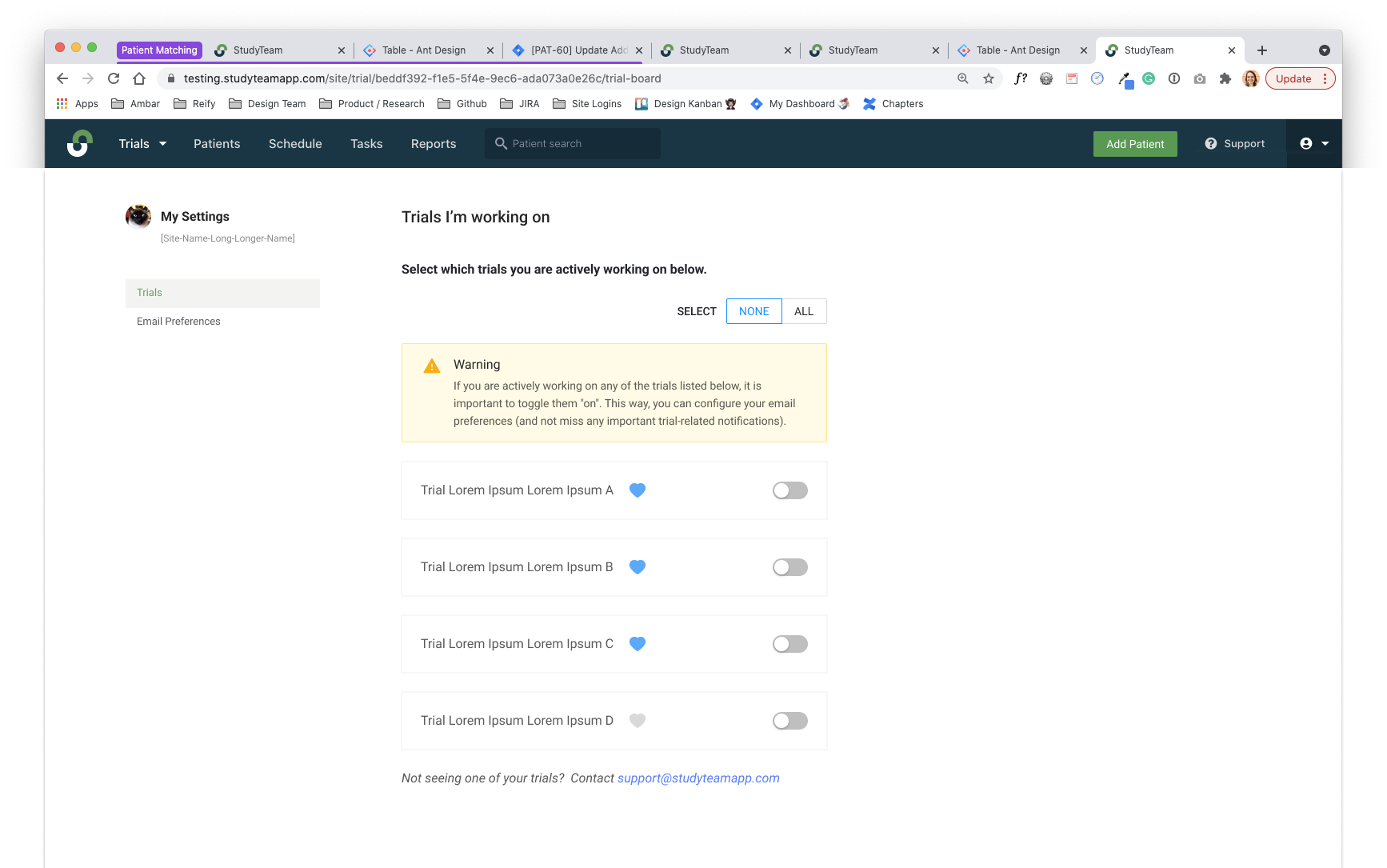
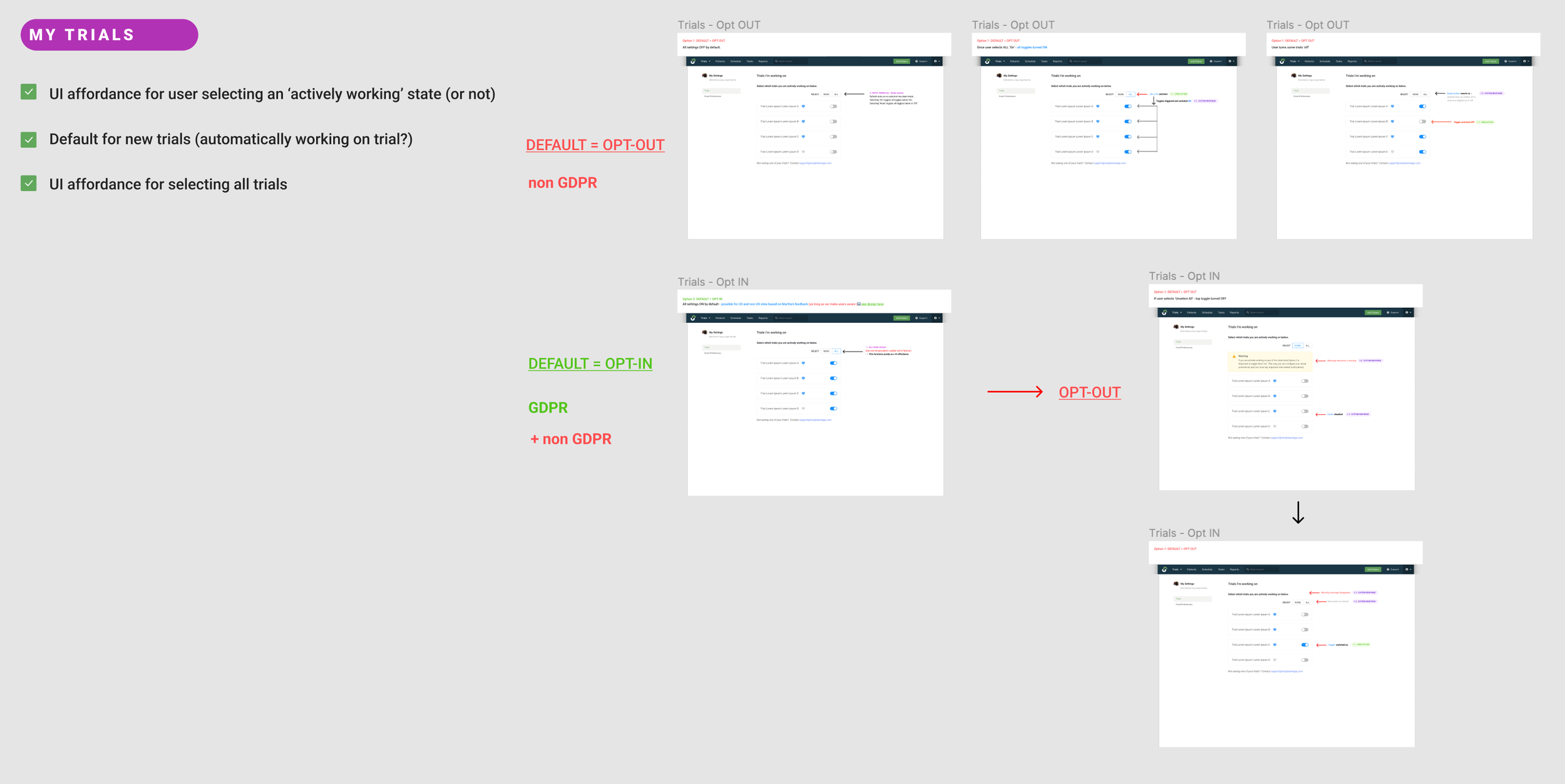
Once a user selects, ‘My Settings’, they land on their Trials page. Here users can indicate which trials they are actively working on. Users will not receive email notifications and reminders for trials indicted as in-active.


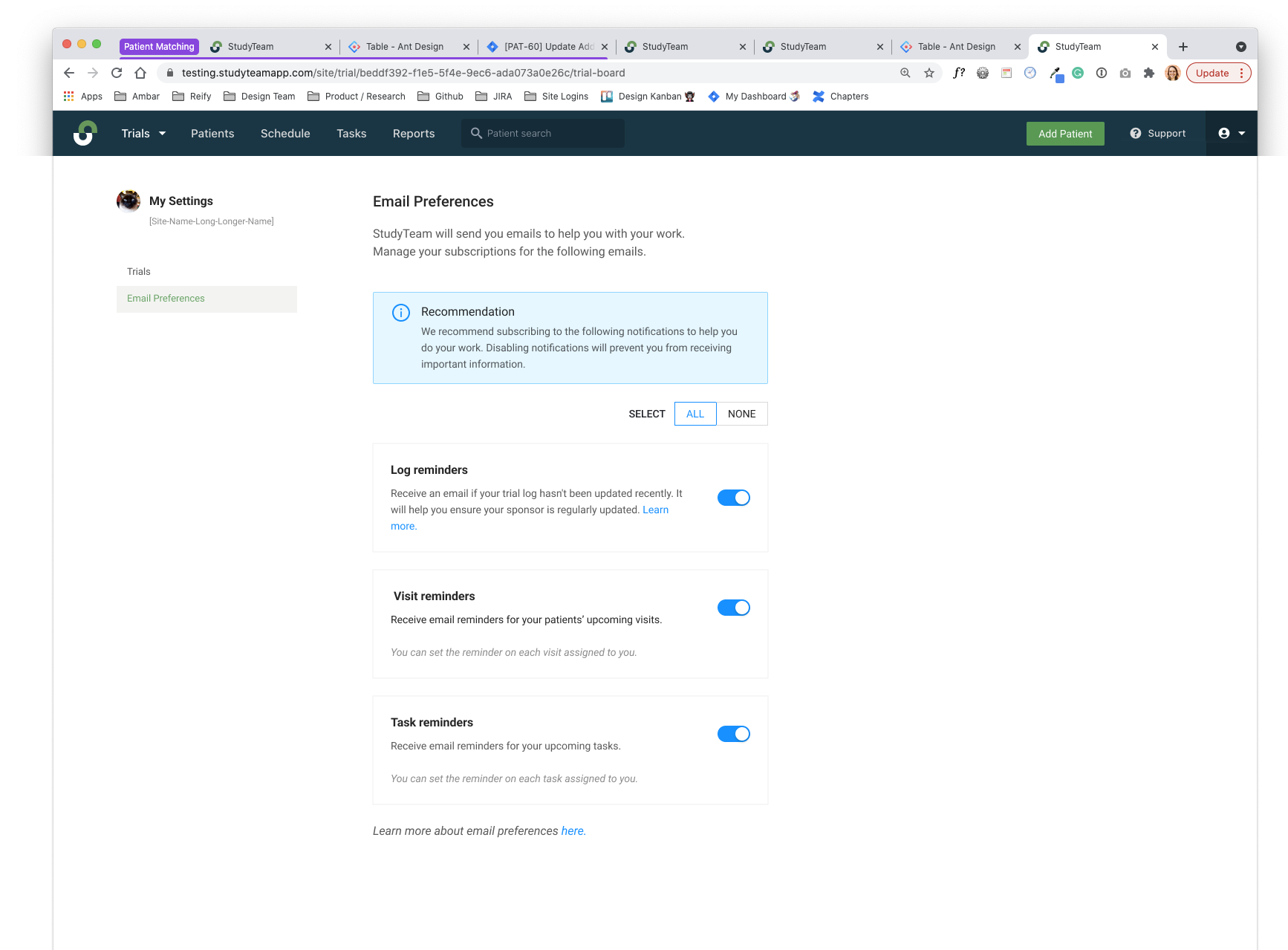
Email Preferences Selected Based on Which Trials are Marked Active

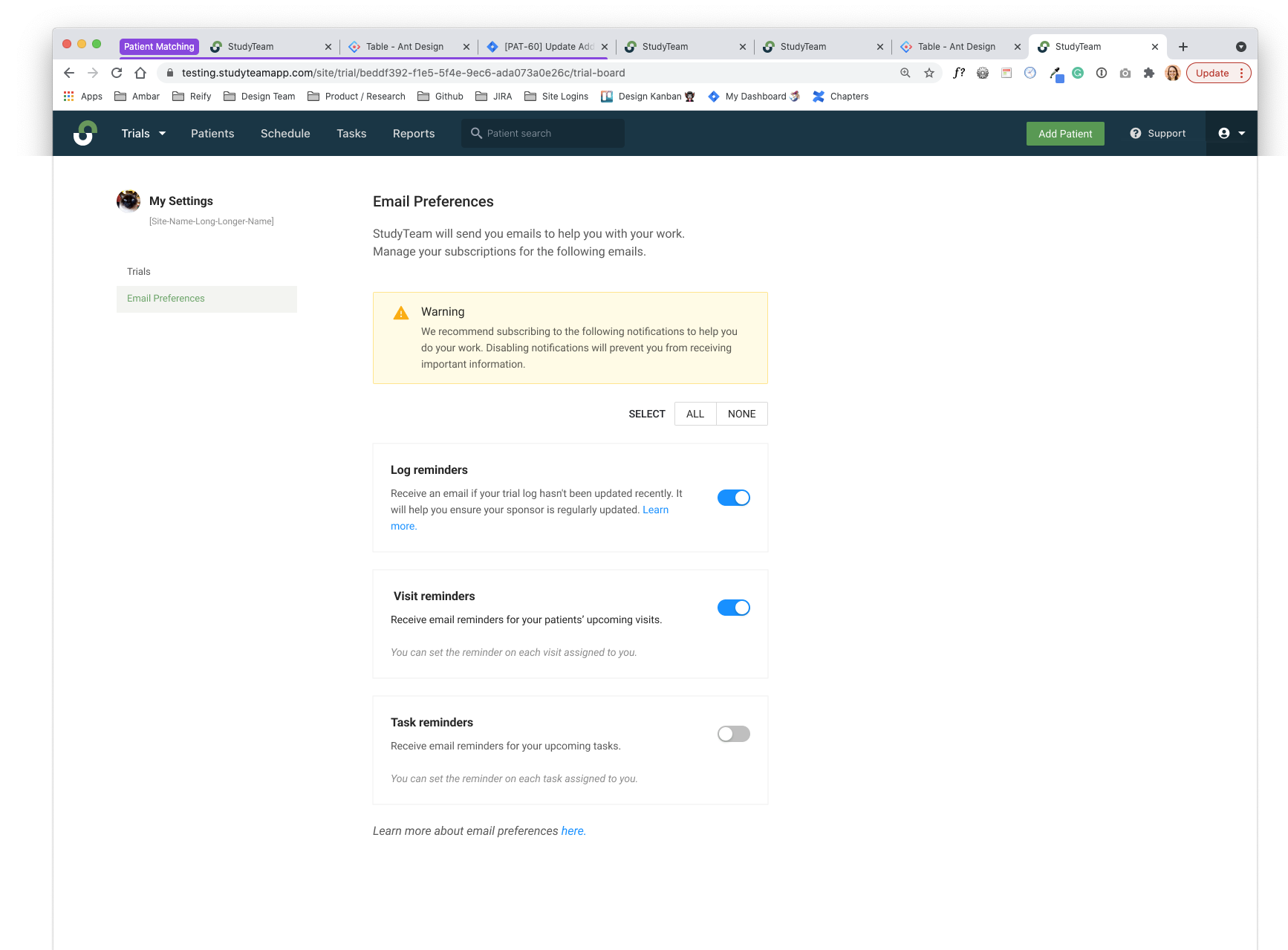
Under Email Preferences, users can select what types of emails they’d like to receive for the trials they are actively working on.

This greatly improves previous processes, which required a manual opt-in and opt-out process between the customer team and customers for individual emails.


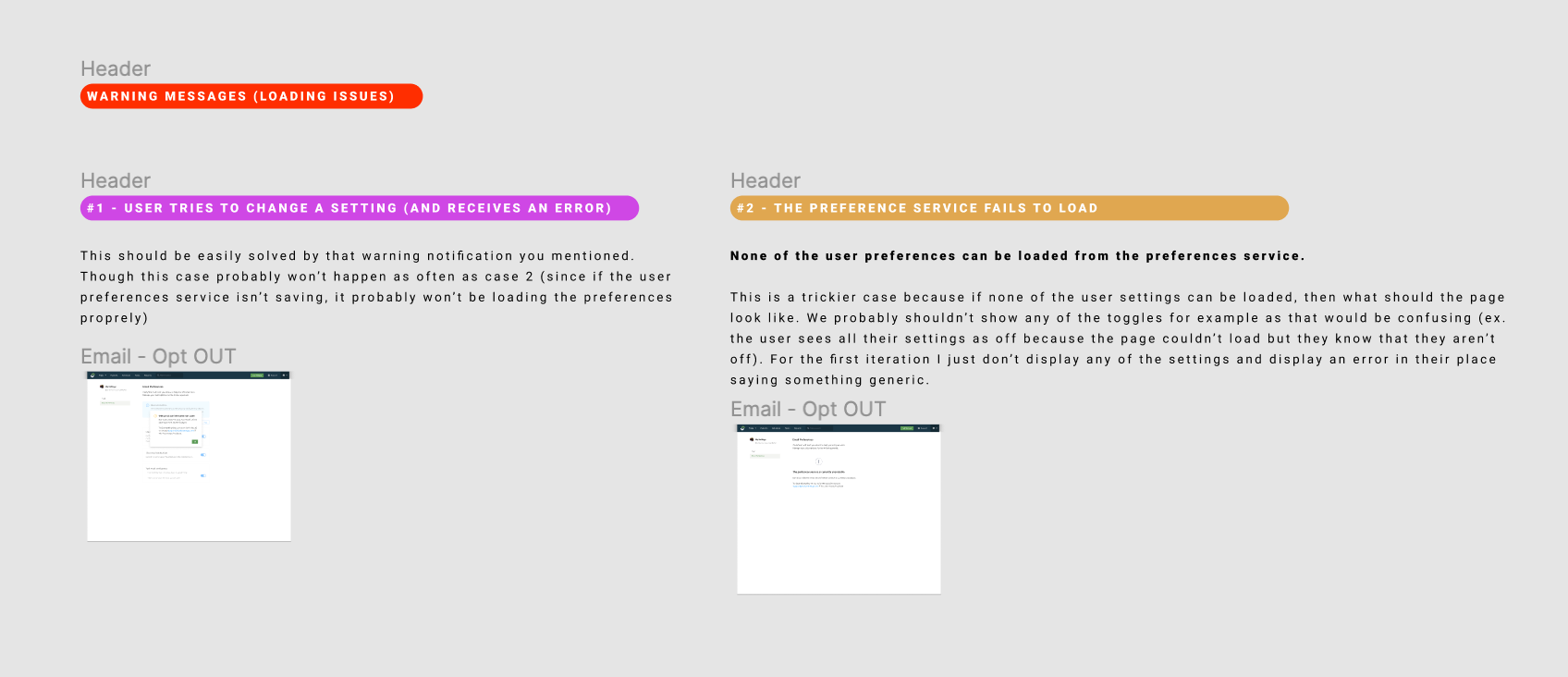
Ensuring We Address Every Interaction Scenario for the Back-End Logic

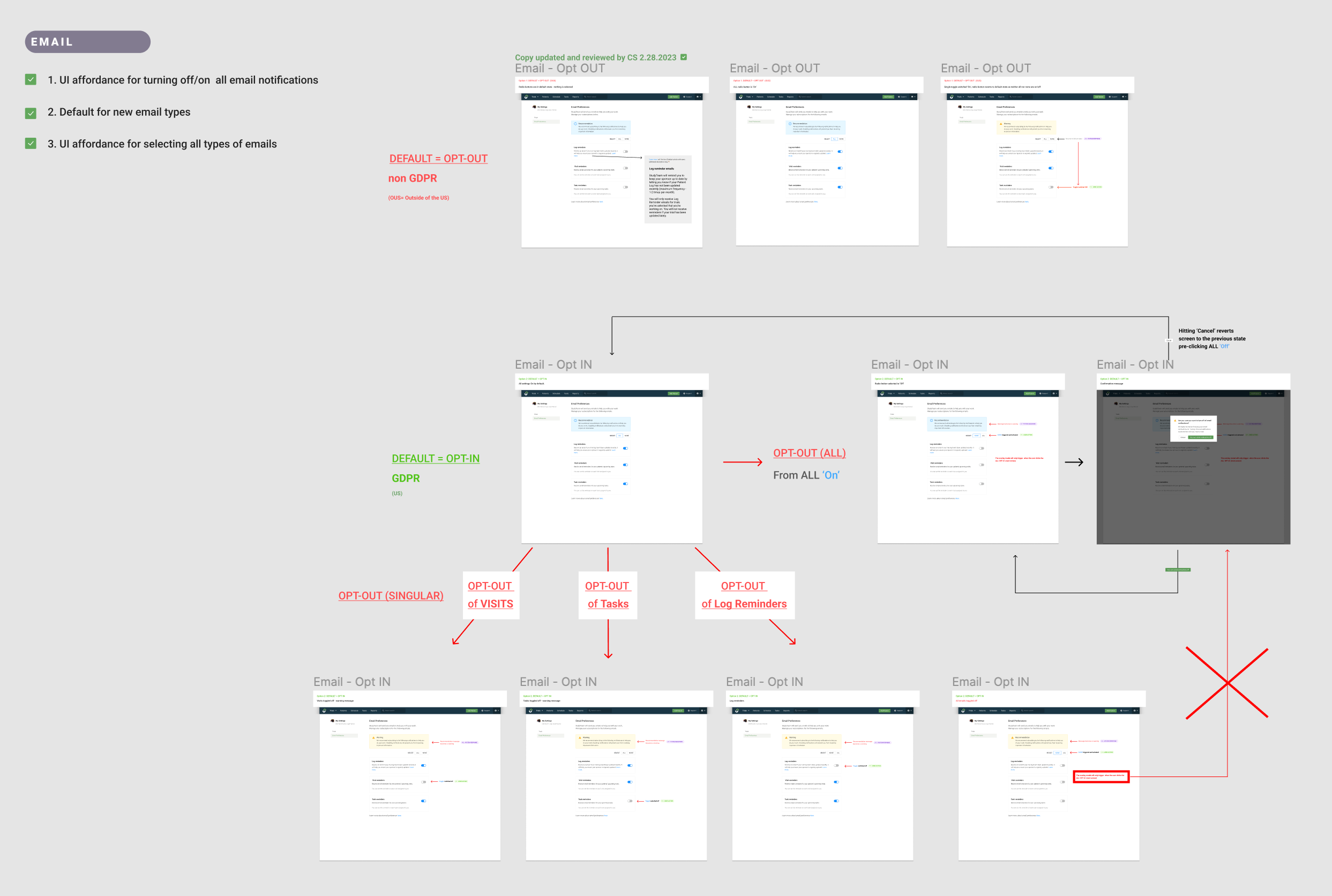
Throughout this entire design process, interaction flows were discussed extensively via product, development, and design to ensure we had considered every scenario for the back-end logic.

See hand-off documentation below.

Flow hand-off documentation.


Flow hand-off documentation (annotated prototypes).


In Conclusion

Both Assignee Notification and Visit Reminder features influenced an overall increase in user adoption and engagement, with a 391.7% change in unique email opens leading to 80.9% change in updated patient logs out of 89.3% of accounts.

 
View Next Featured Case Study